Diagnoses
Diagnoses are clinical facts with billing consequences: they live on the client's record as a dated history and flow onto treatment plans, insurance claims, and superbills. For insurance clients, record the diagnosis before their first claim — a missing diagnosis is the most common reason a claim won't generate.
In this guide, we'll cover:
- Recording a diagnosis
- Updating diagnoses over time
- Signing a diagnosis
- Diagnoses on claims and superbills
- From diagnosis to treatment plan
- Couples and families
- FAQ
Recording a diagnosis
- From the client's profile, click New → Diagnosis and Treatment Plan.
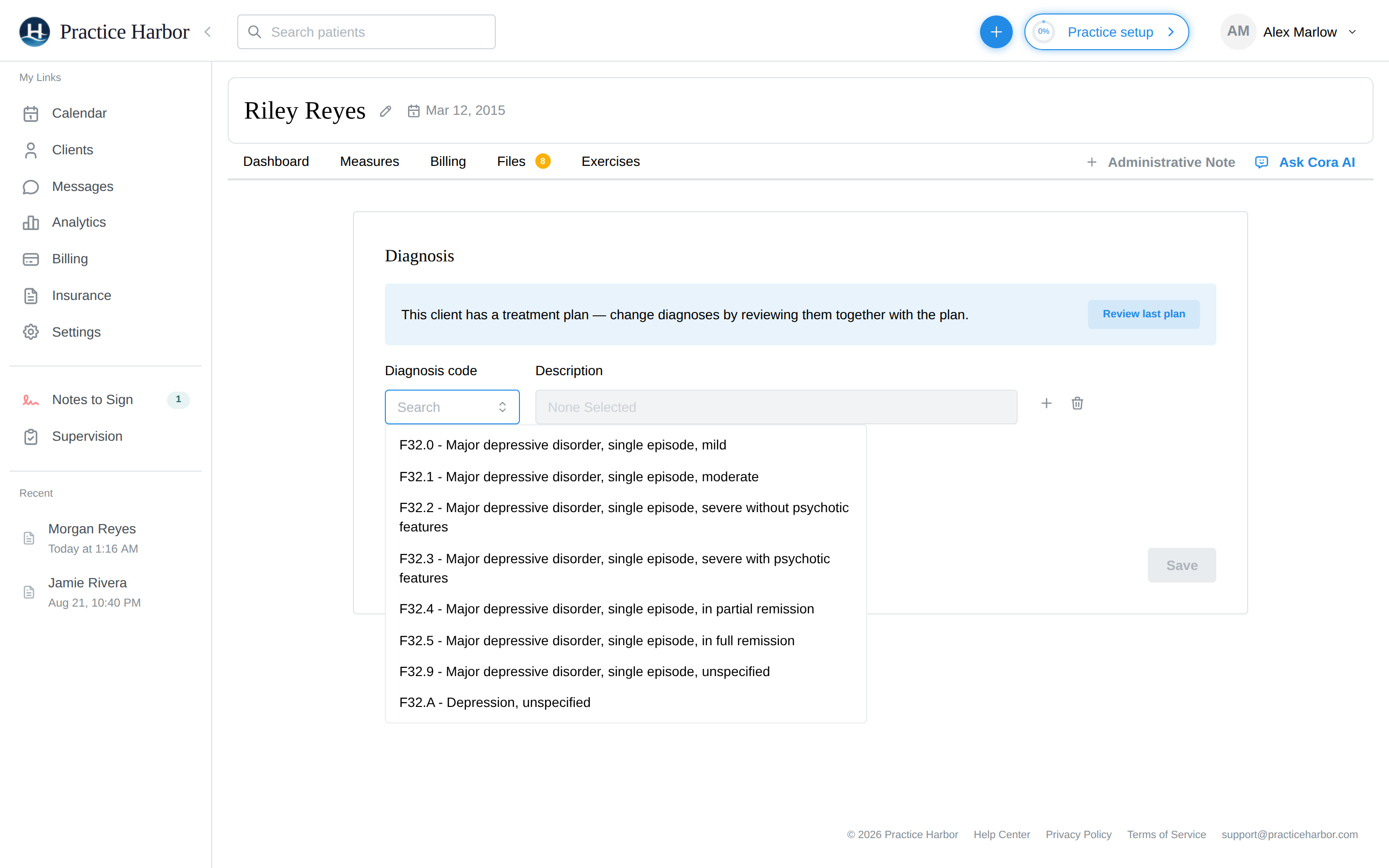
- In the Diagnosis code field, search the ICD-10 list (a curated set of mental-health codes) — picking a code fills the Description, which you can reword.
- Set the Date and time of diagnosis — the record reflects when the diagnosis was made, not just that it exists.
- Click + ("Add another diagnosis") for additional rows — the order you list them in becomes their order of primacy on claims (first = primary).
- Click Save.
After saving, the page shows the read-only Diagnosis and treatment plan view, where you can Sign the set, print or download it (⋮ menu), or continue into a treatment plan.
Updating diagnoses over time
Each save is a dated set — the client's diagnosis history stays a series, not one flattened list. When something changes clinically:
- Open New → Diagnosis and Treatment Plan again.
- Click Load last plan to pull the current diagnosis set into the form.
- Adjust — add the new code, remove the resolved one — and Save with today's date.
Claims and superbills automatically use the set that applied on the session's date, so restating a diagnosis today doesn't rewrite last month's paperwork. To fix a past entry that was recorded incorrectly, open that dated entry from the chart and Update it. Within any one set (and any one claim or superbill), each code appears once — entering the same code twice collapses to the newest.
Signing a diagnosis
Sign on the view page stamps the set with your name and the signing time, giving the record a clear attestation. Two things signing does not do, so you aren't surprised:
- It doesn't lock the set — editing and deleting remain available afterward.
- It isn't a billing gate — an active diagnosis flows to claims and superbills whether or not it's been signed.
Diagnoses on claims and superbills
- Claims carry up to 12 diagnosis codes (CMS-1500 Box 21, letters A–L), in your recorded order — "Primacy follows the diagnosis order (A first)." Every service line points to the first few diagnoses automatically; to fine-tune which diagnoses justify which service line, open the draft claim and use Edit diagnosis pointers (Box 24E) — up to 4 per line, at least 1 each. See Filing claims.
- No diagnosis, no claim: claim creation stops with "No active diagnoses found for patient on or before the appointment date. At least one ICD-10 diagnosis required."
- Superbills print each distinct ICD-10 code that applied across the billed sessions, with per-line pointers, so the client's payer can process reimbursement. See Superbills.
From diagnosis to treatment plan
The diagnosis view page offers a treatment-plan template right below the diagnosis: Simple ("Capture your plan in a single text box") or Advanced with AI — the AI-assisted builder with a therapy modality (CBT, DBT, ACT, and more) and focus areas (anxiety, trauma, relationships, …). Plans set a review date; when one approaches, a Plan review due card appears on the client's profile with an Overdue or Due soon badge. See Treatment plans.
Couples and families
A group's diagnosis is recorded under its primary client (set on the group's Clients tab) — that's whose diagnosis carries the group's documents and claims. Family and group sessions can also be documented without an individual diagnosis.
FAQ
A code won't delete — it says it was "kept." That diagnosis is still referenced by a live treatment plan. Update or end the plan first, then remove the code.
I need a code that isn't in the search list. The picker is a curated mental-health ICD-10 list. Codes imported from a previous EHR are preserved on the record even when they're not in the picker; if you regularly need an unlisted code, tell support so it can be added.
Do I have to sign before billing? No — see Signing. Active diagnoses flow to billing regardless; signing adds attestation, not permission.