Profile settings
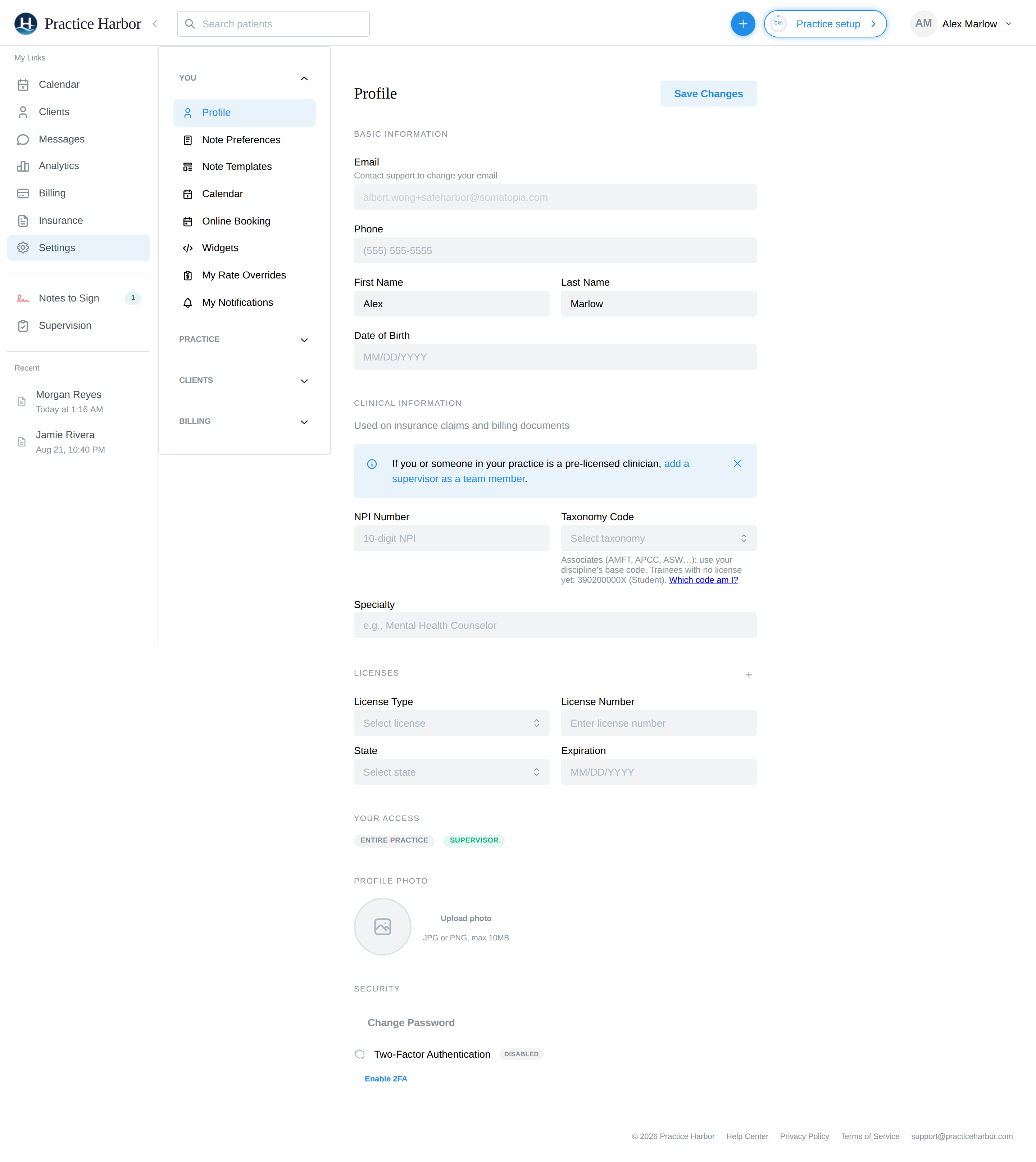
Manage your personal and professional information at Settings → Profile (under the You section).
In this guide, we'll cover:
Basic information
- Email — your sign-in email is shown but locked; contact support to change it
- Phone, first/last name, and date of birth
Clinical information
Your clinical details are used on insurance claims and billing documents:
- NPI Number — your individual (Type 1) NPI
- Taxonomy Code and Specialty
- Licenses — add each license with its type and number (use + in the Licenses section)
Why this matters
Your license and NPI drive several things: they appear on claims and superbills, and they determine your subscription tier. Pre-licensed clinicians should also be linked to a supervisor — see Supervision.
Click Save Changes when you're done.
Your personal preferences
The rest of the You section of Settings holds your individual preferences (each has its own page):
- Note Preferences — default note template and note-generation preferences
- Note Templates — your template library and the gallery (see Note Templates)
- Calendar — week start, timezone override, and Google Calendar sync
- Online Booking — client booking requests
- Widgets — embeddable booking widgets for your website
- My Rate Overrides — your personal rates when they differ from the practice fee schedule
- My Notifications — which notifications you receive
Also on this page
- Your Access — read-only badges showing your access level and any Supervisor/Supervisee status, so you can see at a glance what your account can do.
- Profile Photo — JPG or PNG, up to 10 MB.
- Security — Change Password, and Two-Factor Authentication enrollment (scan the QR with an authenticator app; disable from the same place).