Client insurance coverage
Two things make a client "an insurance client": their payment responsibility is set to Insurance, and their coverage details are on file. Both live on the client's Payment & Insurance tab.
In this guide, we'll cover:
Adding coverage
- Open the client's profile → Edit → Payment & Insurance tab
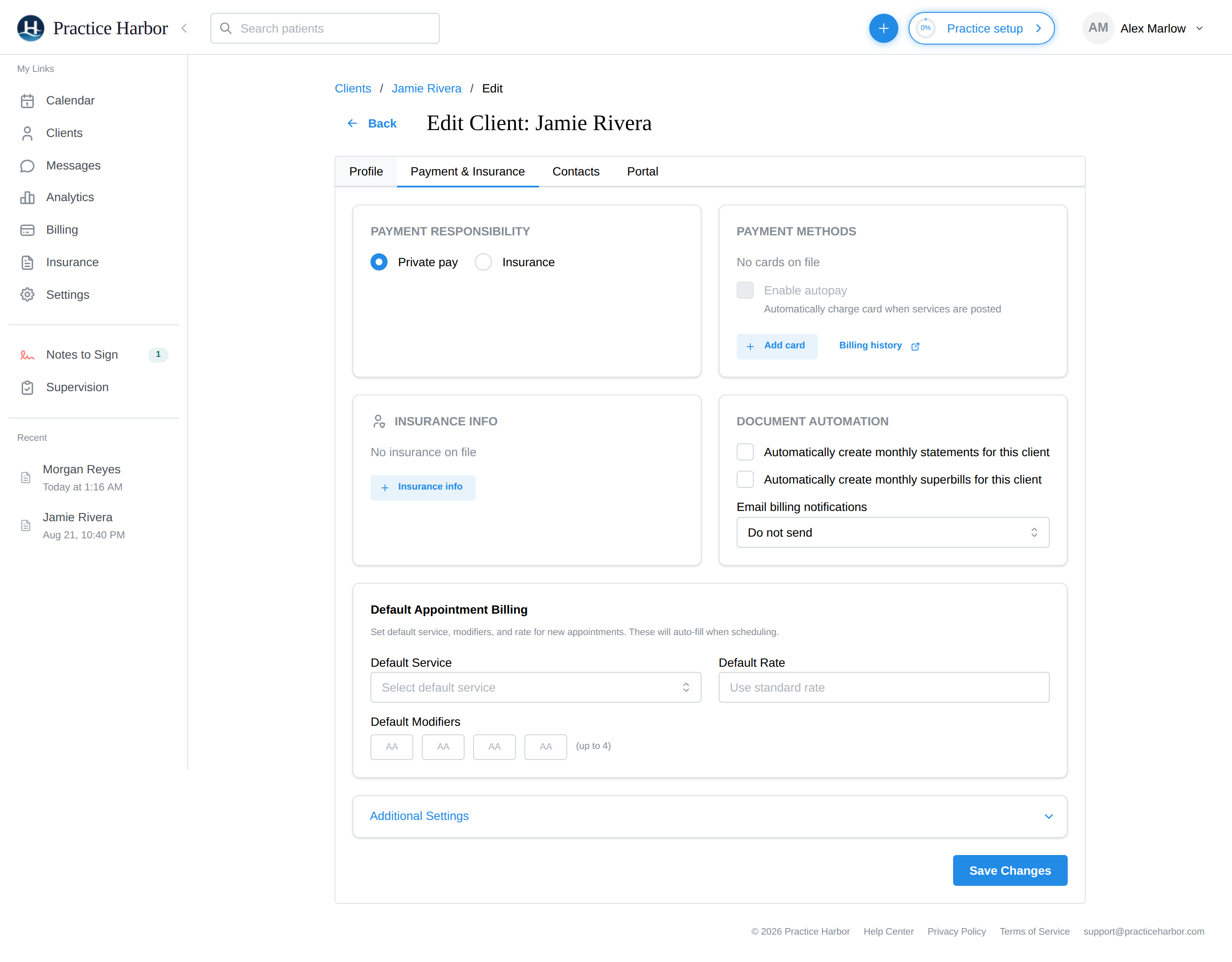
- Under Payment Responsibility, select Insurance
- In the Insurance info card, open the insurance drawer and enter:
- The coverage Type — Primary, Secondary, or Other
- The Primary policy holder — the client, their spouse, a parent, or other (for dependents, the policyholder's details matter to the payer)
- The Payer — search your own payers or the full US directory by name or payer ID
- Member ID (required), plus Plan ID and Group ID from the insurance card
- The Copay/Coinsurance estimate and optional Deductible — these drive the client's responsibility split
- Claim details when relevant: Filing indicator ("Insurance type for CMS-1500 claims"), Accept assignment? (Box 27), and who superbill payments should go to
- Optionally, effective dates and a photo of the insurance card
- Save
The same tab also holds their payment methods (card on file, AutoPay), document automation (automatic monthly statements or superbills for this client), and their default appointment billing (service code, rate, and modifiers that pre-fill when scheduling — the fee that ends up on claims).
Once coverage is on file, set the client's copay/coinsurance estimate so each session splits correctly between insurance and client responsibility — see Balances & Deductibles.
Collecting insurance details at intake
You don't have to type the card in yourself: the demographics intake form can collect insurance details and card photos from the client through the portal, and applies them to the profile automatically — but only when the client has no coverage on file yet, so a client's form can never overwrite details you've already verified.
Verifying coverage
The client's Payment & Insurance tab has a Check Eligibility button: one click asks the payer directly whether the coverage on file is active, and the response lands on the client's Billing tab. It's available once your practice has at least one payer enrollment, works for payers that support real-time eligibility (most do), and each check is billed at the usage rate shown on your Subscription page.
The check asks the payer about outpatient mental health benefits first. When the payer supplies them, the Billing tab shows the therapy copay or coinsurance, any visit limit, and a prior-authorization flag, labeled Mental health benefits. Many payers answer that question with only "covered" and no figures; the check then runs the general plan inquiry as well (that pair counts as two checks) and the tab shows the plan-level deductible and out-of-pocket totals and remaining amounts, in-network and individual first, with a note that the payer returned no therapy-specific cost sharing. Anything the payer said in free text — "call the number on the card", a separate behavioral-health administrator, the standard not-a-guarantee-of-payment disclaimer — is shown under the figures. For payers without real-time support, verify benefits with the payer directly and record the copay/coinsurance estimate on the client.